 Whats
MCQ study aid · multiple choice answers
An MCQ study aid that shows you why an answer is right
WhatsTheAnswer reads each multiple choice question from your screen, diagrams and equations included, with no copy and paste. It gives the answer, a one-line reason and a confidence rating, so each question teaches you something.
Works in Chrome, Edge, Brave, Opera, Vivaldi and Arc. Not Firefox or Safari.
For studying and practice only, not real exams. Acceptable use
Learn why, not just which letter
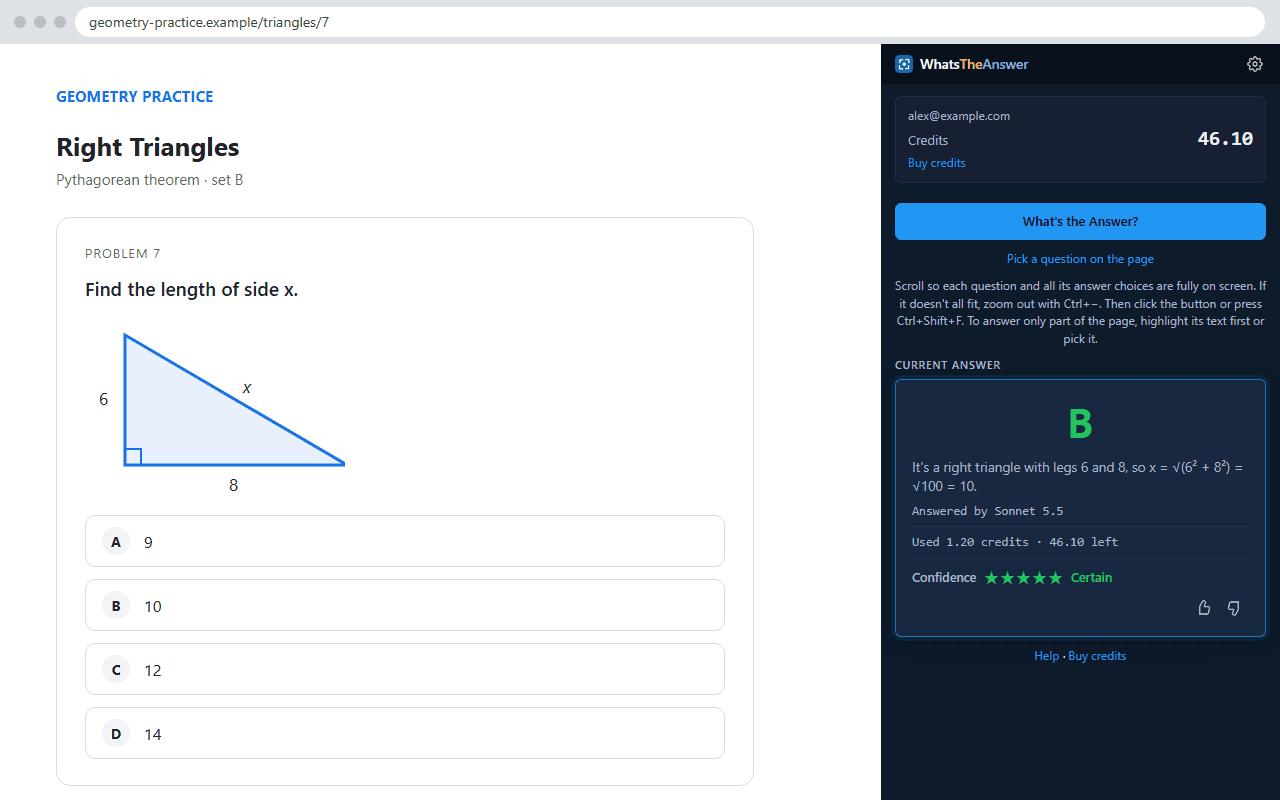
A bare letter doesn't help you study. Each answer comes with a one-line reason. In the screenshot, a right triangle with legs 6 and 8 gets answer B, with the working: √(6² + 8²) = √100 = 10. Read the reason, check it against your own thinking, and you will spot exactly where you went wrong.
Confidence shows what to review
Every answer has a 1 to 5 star rating. A confident answer is a good sign. An unsure one, 3 stars or fewer, goes to a stronger AI model you have allowed for a second opinion, and it is also a hint about which topic to revisit. It can still be wrong, so check it against your course material.
A screen text reader for figures and formulas
Study sets are full of content that plain text tools can't take: diagrams, chemical structures, tables, charts and equations. This MCQ study aid reads the screen itself, so it sees them as you do. Use it on flashcards, question banks and course quizzes without retyping anything.
Look back over your answer history
The side panel keeps a history of your questions and answers, so before a test you can scroll back through what you worked on. Press Right or Wrong under an answer to mark how it did.
Cheap enough to use every day
A fast answer costs about 1 to 2 cents, with no subscription, and credits never expire. You choose the AI model, and the exact cost shows under every answer. For the hardest questions, even the top frontier AI model costs only a few cents. It is for study and practice only, not real exams (acceptable use). Want a comparison with a chatbot? See WhatsTheAnswer vs ChatGPT.
Common questions
How does it help me learn, not just get the answer?
Every answer comes with a one-line reason and a 1 to 5 star confidence rating, and the side panel keeps your answer history. Read the reason, decide whether you agree, and use the history to review what tripped you up.
Can it read diagrams, equations and images?
Yes. It is a screen text reader for questions: it reads the question and every choice from what is on screen, including figures, tables, formulas and pictures, so there is nothing to copy or retype.
Which AI model should I use for studying?
Start with the fastest AI model for facts and definitions, and allow a stronger one for a second opinion on harder questions. Even the top frontier AI model costs only a few cents per answer. See the AI model guide.
Are my questions stored?
No. They are held in memory only while your answer is made, sent to Anthropic for that one answer, and never written to our database. See the privacy policy.
Answers are AI-generated and can be wrong. Use the confidence rating and your own judgement. Not affiliated with any school, exam board or quiz site.
Try it on your next practice quiz
Works in Chrome, Edge, Brave, Opera, Vivaldi and Arc. Not Firefox or Safari.